
One of the most confusing parts of getting started with smart home automation is understanding all the terminology. Do you need the cloud to operate security cameras? Is Zigbee a company or a type of device? What exactly does Home Assistant do, and how do all these different technologies work together?
The good news is that building a smart home becomes much easier once you understand the role each piece plays. In this guide, we’ll translate the marketing language and technical jargon into plain English so you can make better decisions about your own smart home.
What Is a Smart Home?
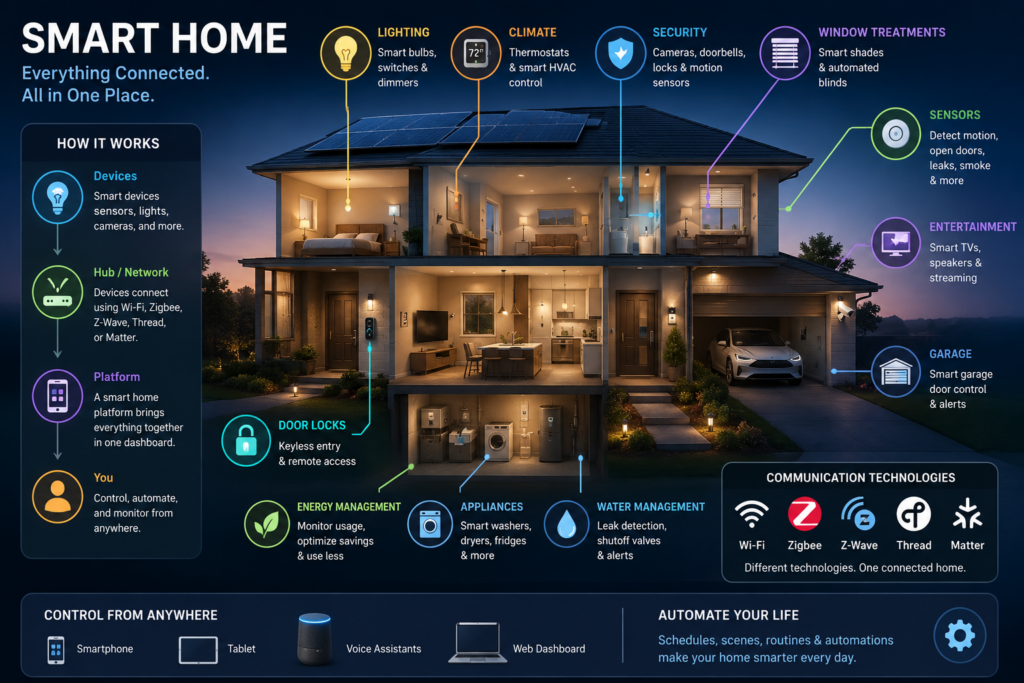
A smart home is simply a collection of connected devices that can monitor, control, or automate things around your house. These devices might include lights, locks, thermostats, cameras, motion sensors, smart outlets, doorbells, and window sensors.
Some smart home devices communicate directly over your home’s Wi-Fi network, just like your phone, computer, or tablet. Others use wireless technologies specifically designed for smart home equipment, including Zigbee, Z-Wave, and Thread.
The devices are usually managed through a platform such as Amazon Alexa, Google Home, Samsung SmartThings,
, or Home Assistant. These platforms allow you to control devices from a mobile app, create automations, or use voice commands.
How Does Zigbee Work?
Zigbee is a low-power wireless communication protocol designed primarily for smart home devices. It has been around since 2004 and is commonly used by smart bulbs, outlets, motion sensors, switches, and other battery-powered devices.
Philips Hue smart bulbs are a popular example of Zigbee devices. The bulbs communicate with a hub, such as the Philips Hue Bridge, which then connects the Zigbee network to your regular home network.
You can think of the hub as a translator. Your Zigbee devices communicate using Zigbee, while your phone, computer, and home network communicate using standard networking technologies. The hub allows those two systems to work together.
One of Zigbee’s biggest advantages is its ability to create a mesh network. Many powered Zigbee devices, including smart outlets and bulbs, can repeat signals for other devices. Instead of every sensor communicating directly with the hub, the signal can hop between devices.
This can improve coverage and reliability, especially in larger homes. However, Zigbee operates in the same general frequency range as many Wi-Fi networks, which means interference can occasionally become an issue if the networks are not configured carefully.
How Is Z-Wave Different From Zigbee?
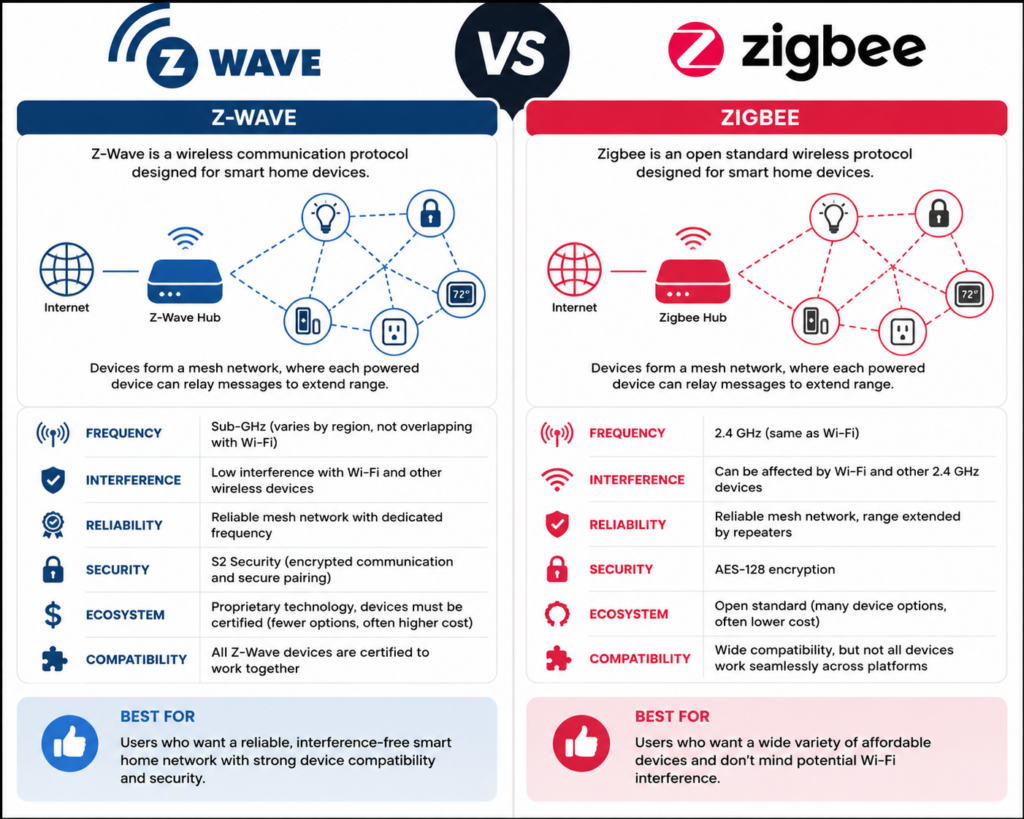
Z-Wave is another low-power wireless protocol designed for smart home devices. It operates similarly to Zigbee and can also create a mesh network, but it generally uses a different wireless frequency than Wi-Fi.
Because Z-Wave operates separately from most Wi-Fi traffic, there is usually less risk of interference. Z-Wave devices must also go through a certification process, which helps ensure that devices from different manufacturers work together properly.
The disadvantage is that Z-Wave is a proprietary technology. You may find fewer available products, and Z-Wave devices can sometimes cost more than comparable Zigbee devices.
Ring window sensors and motion sensors are common examples of devices that may use Z-Wave. To connect Z-Wave devices to a smart home system, you will need a compatible hub or USB coordinator.
What Is Thread?
Thread is another low-power mesh networking technology designed for smart home devices. It is similar to Zigbee and Z-Wave, but Thread uses Internet Protocol, commonly called IP, to help devices communicate across your home network.
The easiest way to understand Thread is to think of it as a mail carrier. The mail carrier knows where a package needs to go, but it does not necessarily know what is inside the package or what the message means.
Thread handles the delivery of information between devices. However, another technology is needed to define what those devices are saying to one another. That is where Matter comes in.
Why Does Matter… matter?
Matter is a smart home communication standard designed to help compatible devices work across different platforms. A Matter-compatible device may work with Amazon Alexa, Apple Home, Google Home, Samsung SmartThings, and Home Assistant without requiring a completely separate version for each platform.
Development of Matter began in 2019 under the name Project CHIP, which stood for Connected Home over IP. The project included companies such as Apple, Amazon, Google, and the Zigbee Alliance, which is now known as the Connectivity Standards Alliance.
The project was renamed Matter in 2021, and Matter 1.0 was officially released the following year. Since then, major smart home companies have continued adding Matter support to their products and platforms.
Matter does not replace Wi-Fi, Ethernet, or Thread. Instead, Matter is the common language devices use to communicate. The underlying network, such as Wi-Fi or Thread, is responsible for delivering the message.
What Is a Thread Border Router?
A Thread Border Router connects your Thread devices to the rest of your home network. It performs a role similar to a Zigbee hub, although the underlying technology works differently.
Some smart speakers, streaming devices, and smart home hubs include Thread Border Router functionality. Certain Amazon Echo models, Apple HomePods, Apple TVs, Google Nest devices, and other supported products may provide this capability.
One advantage of Thread is that a home can have multiple Border Routers working together. This can improve wireless coverage and make the network more resilient if one Border Router becomes unavailable.
How Do Alexa & SmartThings Control Devices?
Cloud-based smart home platforms such as Amazon Alexa and Samsung SmartThings can manage devices that communicate using several different technologies.
Some devices connect directly over Wi-Fi. Others use Zigbee, Z-Wave, Matter, or Thread. Whether you need a separate hub depends on the smart home platform and the capabilities built into the device controlling it.
For example, certain Amazon Echo and Echo Show models include built-in Zigbee support. Newer models may also act as Matter controllers or Thread Border Routers.
Samsung SmartThings commonly uses the Aeotec Smart Home Hub. This hub supports several technologies, including Zigbee, Z-Wave, Matter, Thread, Wi-Fi, and Bluetooth. Supporting multiple protocols allows SmartThings users to combine compatible devices from several manufacturers rather than depending entirely on one brand.
These platforms are considered cloud-based because features such as remote access, account management, voice recognition, software integrations, and device coordination may rely on the company’s servers. Your smart bulb does not necessarily need the internet simply to produce light, but the platform controlling it may depend on cloud services for certain features.
How Are Security Cameras Different?
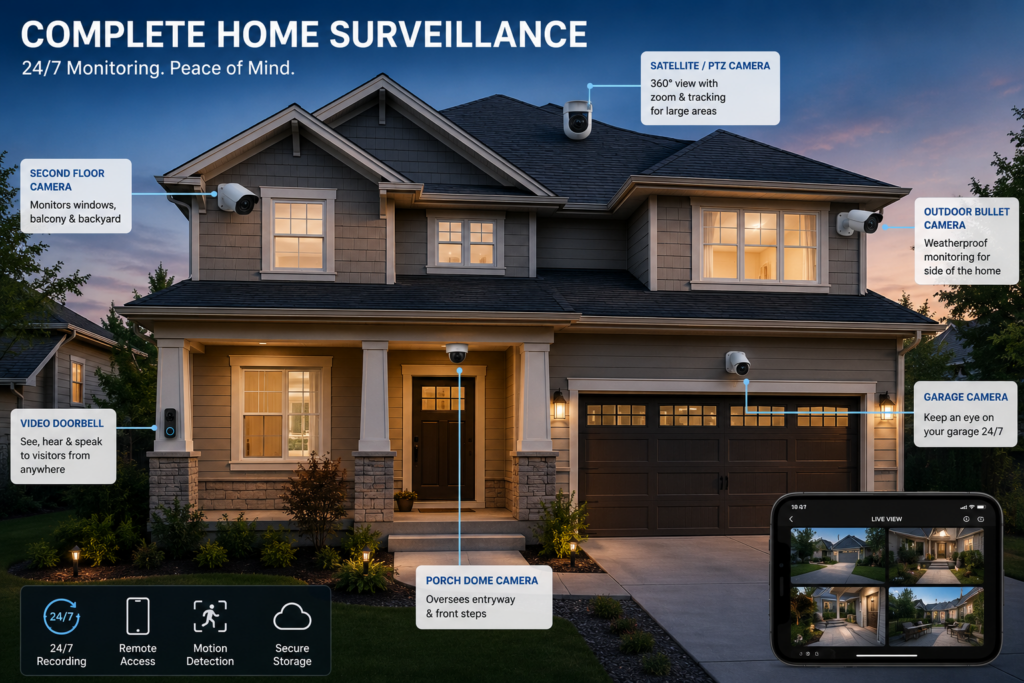
Security cameras are more complicated than smart bulbs, locks, or motion sensors because cameras generate and store large amounts of video.
Cloud-based camera systems such as Ring and Google Nest allow you to view live video, receive motion alerts, and manage cameras remotely. However, saving recordings and reviewing historical footage generally requires a subscription.
After purchasing and installing the cameras, the provider manages the cloud storage, mobile app, software updates, and backend infrastructure. This makes cloud-based surveillance convenient for users who do not want to maintain their own recording equipment.
The exact subscription structure varies by provider. Some plans are based primarily on how many devices you own, while others are based on how much event or continuous video history you want to retain.
The primary benefit is convenience. You install the camera, connect it to your network, subscribe to the appropriate service, and allow the provider to manage the rest.
What Does Self-Hosting Mean?
Self-hosting means running services on equipment that you own instead of relying entirely on a third-party cloud platform.
For a surveillance system, this usually means storing camera footage on a local recorder, server, or network appliance inside your home. You determine how much footage is retained, who can access it, and how the system is configured.
The trade-off is that you are responsible for purchasing, configuring, maintaining, and occasionally troubleshooting the equipment. Self-hosting can require more time and a larger upfront investment, but it gives you more control over your system and your data.
Using UniFi Protect for Local Video Surveillance
I use UniFi Protect with five cameras, including a video doorbell. My recordings are stored locally on equipment in my basement, and I decide how long the footage is retained.
Once the system was configured, it required very little ongoing attention. UniFi Protect manages the available storage and automatically removes older recordings when space is needed.
The UniFi Protect mobile app allows me to view live feeds, review recordings, receive alerts, and create user accounts for family members. There is no monthly subscription required to access my locally stored recordings.
Another advantage is that features such as person, vehicle, and motion detection can be processed locally. Cloud services may still be used to make remote access more convenient, but the video analysis and primary storage remain on equipment that I own.
One of the more affordable ways to begin using UniFi Protect is with a Cloudkey Gen 2 Plus. It runs the UniFi Protect software and includes local storage for camera recordings.
Wired UniFi cameras generally connect through a Power over Ethernet switch or PoE injector. This allows a single Ethernet cable to carry both power and data. UniFi doorbells can use existing doorbell wiring for power and connect to your network over Wi-Fi, depending on the model.
The primary disadvantage is that UniFi Protect is designed mainly around UniFi cameras and hardware. It is an excellent option for people who want a polished, integrated platform, but it may not be ideal for someone who already owns cameras from several different manufacturers.
Using Frigate as an Open-Source NVR
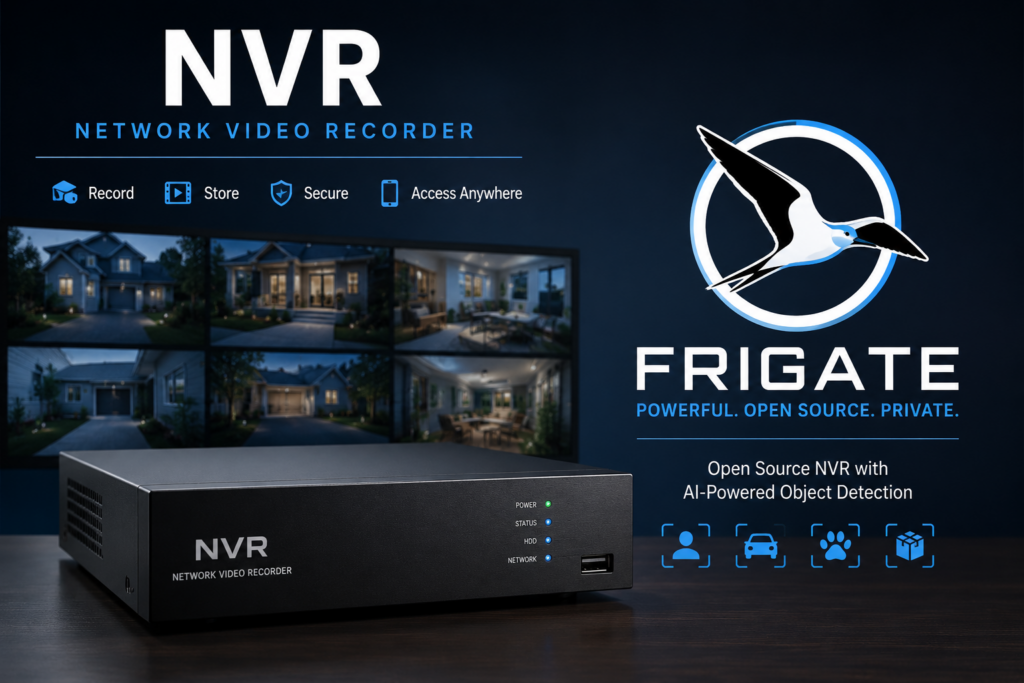
Frigate is a free, open-source network video recorder that offers more flexibility than many closed camera ecosystems.
It can work with supported cameras from a variety of manufacturers, making it useful for people who want to build a surveillance system around equipment they already own.
Frigate generally requires more setup and technical knowledge than Ring, Nest, or UniFi Protect. It also may not provide the same polished mobile experience without additional configuration.
However, it gives you significant control over your cameras, recordings, object detection, and storage. For someone who enjoys self-hosting and wants to avoid being locked into one camera brand, Frigate can be an excellent option.
What Is Home Assistant?
Home Assistant is free, open-source smart home software that can run on many modern computers, mini PCs, virtual machines, and single-board computers such as the Raspberry Pi 4 or Raspberry Pi 5.
It brings devices from different brands and wireless technologies into a single interface. Your smart lights, thermostats, security sensors, cameras, outlets, door locks, and other devices can all be controlled from one platform.
Some smart home technologies require additional hardware. For example, connecting Zigbee or Z-Wave devices directly to Home Assistant typically requires a compatible USB coordinator.
Once the appropriate hardware and integrations are configured, Home Assistant can allow devices from different ecosystems to work together in ways that may not be possible through the manufacturer’s app alone.
For example, Philips Hue lights, Ring alarm sensors, UniFi Protect cameras, Nest thermostats, smart outlets, and door locks can potentially participate in the same automations.
Why Home Assistant Is So Powerful
Where Home Assistant really stands out is automation.
A basic smart home platform might allow you to turn a light on with your phone or voice. Home Assistant allows you to create automations based on time, motion, temperature, device status, weather conditions, sunrise, sunset, occupancy, and many other triggers.
Your porch lights could turn on 30 minutes before sunset. Your smart shades could close automatically when the outdoor temperature rises above 85 degrees. Your basement lights could flash red when a water leak is detected.
You could also adjust motion detection schedules, send notifications when doors are left open, turn devices off when nobody is home, or combine several conditions into a single automation.
The possibilities are nearly endless because you decide how the devices should work together.
How I Use Home Assistant Automations
In my studio, the lights are connected to Zigbee smart outlets. I use a Zigbee remote to control all of them at once.
A single press turns every studio light on, while a double press turns them off. Home Assistant receives the remote signal through a Zigbee USB coordinator and then runs the automation controlling each outlet.
I also use a Raspberry Pi Zero 2 W with a motion sensor to control a light in my office. When the Raspberry Pi detects motion, it sends that information to Home Assistant over Wi-Fi.
Home Assistant then turns on the office light through a Wi-Fi smart plug. After five minutes without motion, Home Assistant automatically turns the light off.
This is a good example of how Home Assistant can combine completely different technologies. The motion sensor is connected to a Raspberry Pi, the Pi communicates over Wi-Fi, and the light is connected through a Wi-Fi smart plug. Home Assistant ties everything together.
Does Home Assistant Require the Cloud?
Home Assistant can control many devices and automations locally without sending your data to an external cloud provider.
However, whether a particular device works entirely locally depends on how that device was designed. Some integrations communicate directly with devices on your network, while others rely on the manufacturer’s cloud service.
Choosing devices with strong local control support can help reduce your dependence on cloud services. It can also allow important automations to continue working during an internet outage.
Remote access can also be configured in several ways. Home Assistant offers its own subscription service for convenient remote access, but experienced users can also configure other secure remote-access methods.
Is Self-Hosting Right for You?
Cloud-based and self-hosted smart homes solve different problems.
If you want to install a few smart devices, control them through an app or voice assistant, and avoid managing the underlying technology, a cloud-based platform such as Alexa, Google Home, Ring, Nest, or SmartThings may be the better choice.
These companies handle most software updates, remote access, infrastructure, storage management, and account services for you.
Self-hosting may be more appealing if you enjoy learning new technology, want greater privacy, prefer to own your data, or want more control over how your devices work together.
The disadvantages are the larger upfront investment and the time required to learn, configure, maintain, and occasionally troubleshoot the system. In exchange, you gain much more flexibility and are less dependent on one company’s subscription plans or product ecosystem.
Cloud-Based & Self-Hosted Systems Can Work Together
Choosing self-hosting does not mean you have to completely abandon cloud-based services.
I still use Alexa occasionally for voice control, while Home Assistant handles many of my automations and locally managed devices. UniFi Protect stores my camera recordings locally, while remote-access services make it convenient to view those recordings away from home.
A smart home does not have to follow one specific philosophy. You can combine local and cloud-based services based on what works best for your household.
The goal is not to build the most complicated smart home possible. The goal is to build a system that is reliable, useful, and comfortable for you to maintain.
Final Thoughts
Zigbee, Z-Wave, Thread, Matter, Wi-Fi, hubs, cloud services, and self-hosted platforms can sound overwhelming when you first encounter them. However, each technology performs a relatively specific role.
Zigbee and Z-Wave connect low-power smart devices. Thread provides a modern IP-based mesh network. Matter gives compatible devices a shared language. Hubs and Border Routers connect these networks to the rest of your home. Platforms such as Alexa, SmartThings, and Home Assistant provide the interface and automation tools that bring everything together.
There is no universally correct way to build a smart home. Cloud-based platforms prioritize convenience, while self-hosted platforms prioritize control, flexibility, and local data ownership.
The best choice depends on how much time you want to spend managing the system and how much control you want over the technology running inside your home.
Other Home Assistant Videos I’ve Done:
Running Home Assistant On a Raspberry Pi!
💻 Hardware Used:
✅ Some links may be affiliate links, which help support me and help keep ads off here!
Zigbee USB Hub: https://amzn.to/44fIGxA
Philips Hue Bulb: https://amzn.to/4eFtvDW
Philips Hue Zigbee Hub: https://amzn.to/4eVObqd
Aeotec Smart Things Home Hub (Zigbee and Z-Wave Compatible): https://amzn.to/4vVikgv
Amazon’s Echo Dot (4th Gen) Zigbee compatible: https://amzn.to/4vcb1zU
Z-wave Smart Outlet: https://amzn.to/4gqmJ6p