

There’s no shortage of “top tech gadgets” lists out there—but most of them don’t really explain how those tools fit into a real workflow. They tend to focus on features instead of real-world use, which makes it hard to know what’s actually worth your time or money.
So instead of just listing products, this guide walks through a set of tools I personally use and explains why they matter, what problems they solve, and where they actually make a difference in day-to-day use.
Some of these you’ll recognize. Others might be new. And a few are probably things you already own—but aren’t using to their full potential.
Everything here was purchased with my own money. No sponsorships—just tools that have proven themselves useful over time.
UPS (Uninterruptible Power Supply): Protecting What Matters Most
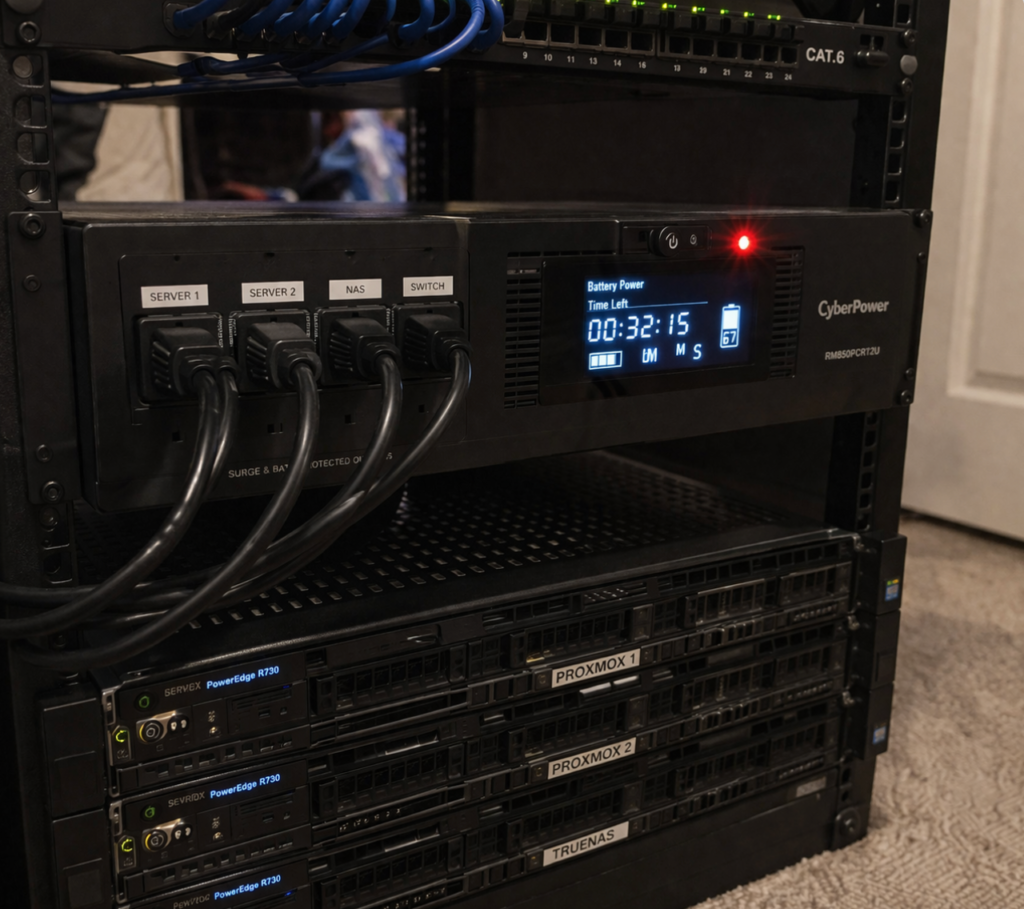
One of the most underrated pieces of tech in my entire setup is a UPS, or uninterruptible power supply. If you’re running a homelab, a NAS, or even just working from home, this is one of those tools that quietly protects everything behind the scenes.
A UPS is constantly doing two jobs at once. First, it protects your devices from power spikes and fluctuations. Second, it provides battery backup if the power goes out. Instead of everything shutting off instantly, it switches to battery and gives you a warning—usually a beep—so you have time to safely shut things down.
This matters more than people realize. Sudden power loss can corrupt data, damage drives (especially spinning disks), and interrupt critical processes. Even a few minutes of backup power can be the difference between a safe shutdown and a major headache.
Precision Screwdriver Kit: Small Tool, Big Difference
If you’ve ever worked on tech hardware, you’ve probably had the experience of digging through drawers trying to find the right screwdriver. That’s exactly the problem a precision kit solves.
Instead of juggling multiple tools, everything is organized in one place with a wide variety of bits, including Torx screws that are common in modern devices and far less likely to strip. The added convenience of a rechargeable handle and built-in lighting makes working in tight or poorly lit spaces much easier.
It might seem like a small upgrade, but when you’re working on mini PCs, laptops, NAS devices, or general electronics, it speeds things up and removes a lot of frustration.
NVMe Drive + Enclosure: Turning Old Hardware Into Speed
If you’ve upgraded a computer recently, there’s a good chance you have an NVMe drive sitting around unused. With a simple enclosure, that drive can be turned into a high-speed external storage device.
This setup is incredibly useful for transferring large files, creating backups, or even editing directly from external storage. Compared to traditional external drives or USB flash drives, NVMe storage is significantly faster and more responsive.
While it’s not the cheapest option, it’s one of the most effective ways to add performance to your workflow without buying entirely new hardware.
Password Manager: Security Without the Hassle

Most people don’t handle passwords well. Whether it’s reusing the same password, writing them down, or simply forgetting them, it creates unnecessary risk.
A password manager solves this by generating strong, unique passwords and storing them securely. It also simplifies the login process by autofilling credentials when needed. Beyond passwords, it can store sensitive information like Wi-Fi credentials, account details, and secure notes.
It’s not flashy, but it’s one of the most practical and impactful upgrades you can make for your digital security.
KVM Switch: One Desk, Multiple Systems
If you regularly use more than one computer, a KVM switch can completely change your workflow. It allows multiple systems to share a single keyboard, mouse, and monitor.
Instead of unplugging cables or switching inputs manually, you can move between systems instantly with the press of a button. It’s similar to switching inputs on a TV—but applied to your entire workstation.
For anyone working across multiple machines, whether for testing, development, or general productivity, it reduces friction and keeps your workspace clean and efficient.
USB-C Hub: Restoring Missing Connectivity
Modern laptops, especially thinner models, often come with limited ports. While that helps with design and portability, it can make everyday tasks more difficult.
A USB-C hub restores that lost functionality by adding HDMI for external displays, multiple USB ports, SD card readers, and even Ethernet for a more stable connection. Instead of carrying several adapters, everything is consolidated into one device.
For anyone working with external drives, capture devices, or multiple peripherals, this is an essential tool that makes a laptop far more capable.
Portable Label Printer: Organization That Pays Off
Organization might not be the most exciting topic, but it has a huge impact on how efficient your setup is.
A portable label printer allows you to clearly label cables, storage bins, drawers, and equipment. Because it connects via Bluetooth and is controlled through a phone app, it’s quick and easy to use whenever you need it.
Over time, this makes troubleshooting easier, reduces confusion, and keeps your setup looking clean and intentional. It’s a small tool that delivers long-term benefits.
Cloud Storage and Productivity Tools: Access Anywhere
Not every useful tool is physical. Cloud platforms like Google Drive and Docs provide a simple but powerful way to store, organize, and access your data.
With a free account, you get a generous amount of storage along with access to document, spreadsheet, and presentation tools. Everything stays synced across devices, and sharing is straightforward.
Whether you’re managing personal files, collaborating on projects, or storing important records, having access to everything from anywhere adds flexibility and convenience to your workflow.
Smart Plugs: Simple Automation With Real Impact
Most people understand the basic function of a smart plug, but they often don’t take advantage of what it can really do.
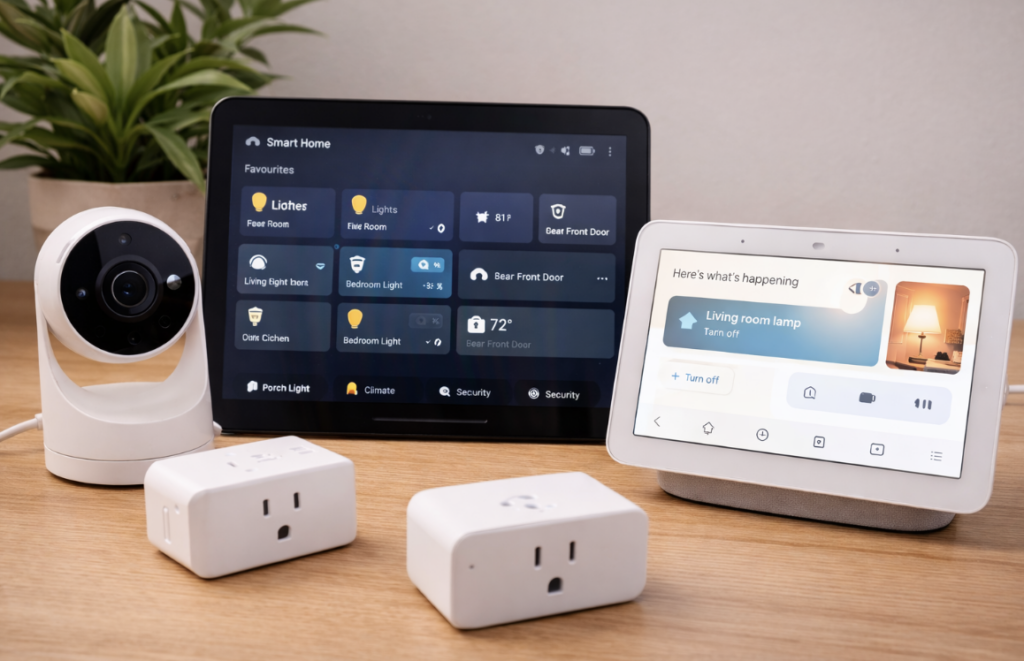
Beyond turning devices on and off remotely, smart plugs allow you to create schedules and automate routines. Lights can turn on when you get home, devices can shut off automatically at night, and multiple actions can be triggered with a single command.
It’s an easy entry point into home automation, but it can scale into something much more powerful as you build out your setup.
Desk Power Station: A Cleaner, More Functional Workspace
Cable clutter is one of the most common problems in any workspace. A desk-mounted power station helps solve this by bringing power directly to your desk instead of hiding it underneath.
With multiple outlets and USB ports built in, everything becomes easier to access, and you don’t have to crawl under your desk to plug things in. The result is a cleaner, more organized workspace that’s easier to use every day.
It’s not the most exciting upgrade—but it’s one you’ll notice immediately.
What These Tools Have in Common
At first glance, this might seem like a random collection of tools. But there’s a clear pattern.
Each one solves a specific problem—whether that’s protecting your equipment, improving speed, simplifying workflows, or reducing clutter. None of these are about being flashy. They’re about making your setup more efficient, reliable, and easier to use.
Final Thoughts
The best tech setups aren’t built on hype—they’re built on practicality.
If a tool saves time, reduces frustration, or improves reliability, it’s worth considering. You don’t need everything on this list, but chances are there’s at least one or two tools here that could noticeably improve your workflow.
What Would You Add?
What’s one piece of tech that has made a real difference in your setup?
It doesn’t have to be expensive or complex—just something that actually solved a problem. That’s usually where the best tools come from.