
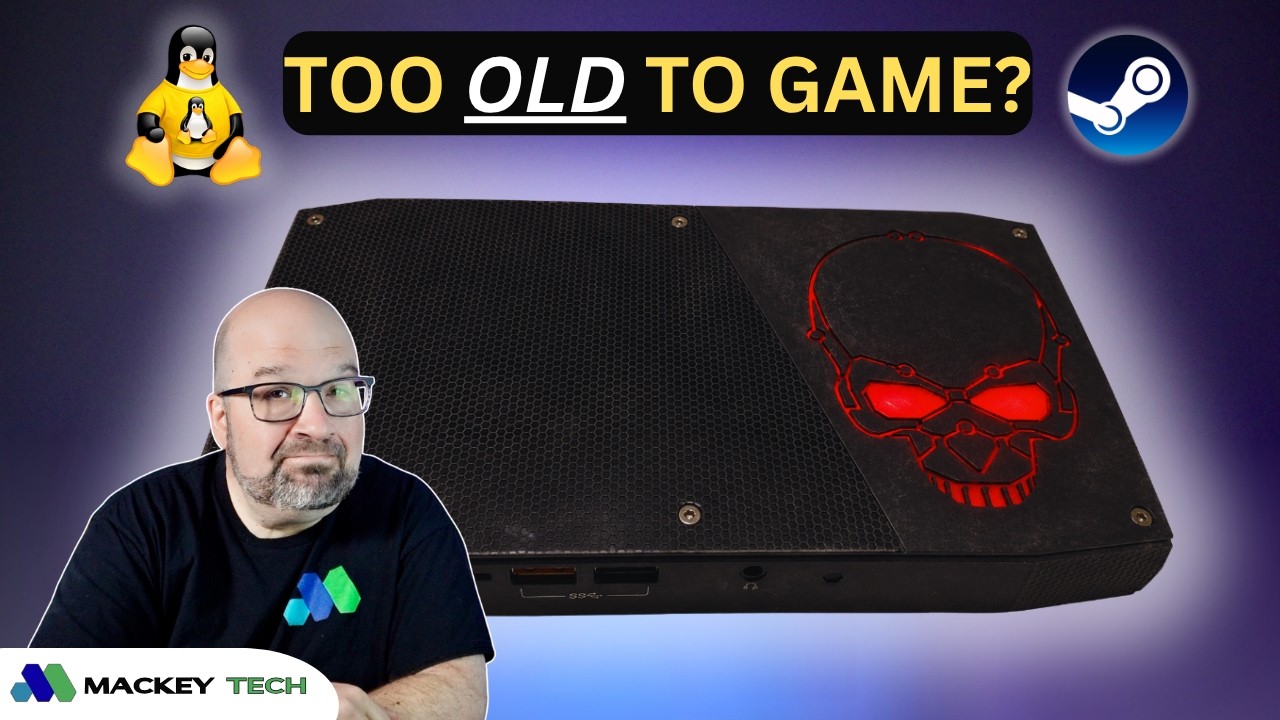
So I recently stumbled across an old Intel Skull Canyon NUC that had been sitting in a closet for the last couple of years. It was still running Windows 10, and when I say “running,” I’m being pretty generous. Web browsing was sluggish, YouTube playback dropped frames constantly, boot times felt endless, and the overall experience made it clear this machine had seen better days.
To be fair, we’re talking about a system with only 8GB of RAM and a 6th-generation Intel Core i7 processor. On the other hand, it does have Intel’s Iris Pro 580 graphics, which were surprisingly capable for integrated graphics back when this machine was released. It also offers plenty of connectivity, including Thunderbolt 3, Gigabit Ethernet, Wi-Fi, Bluetooth, and support for up to three displays.
Rather than letting it continue collecting dust, I decided to see if Linux could breathe some new life into it.
Why I Chose Bazzite
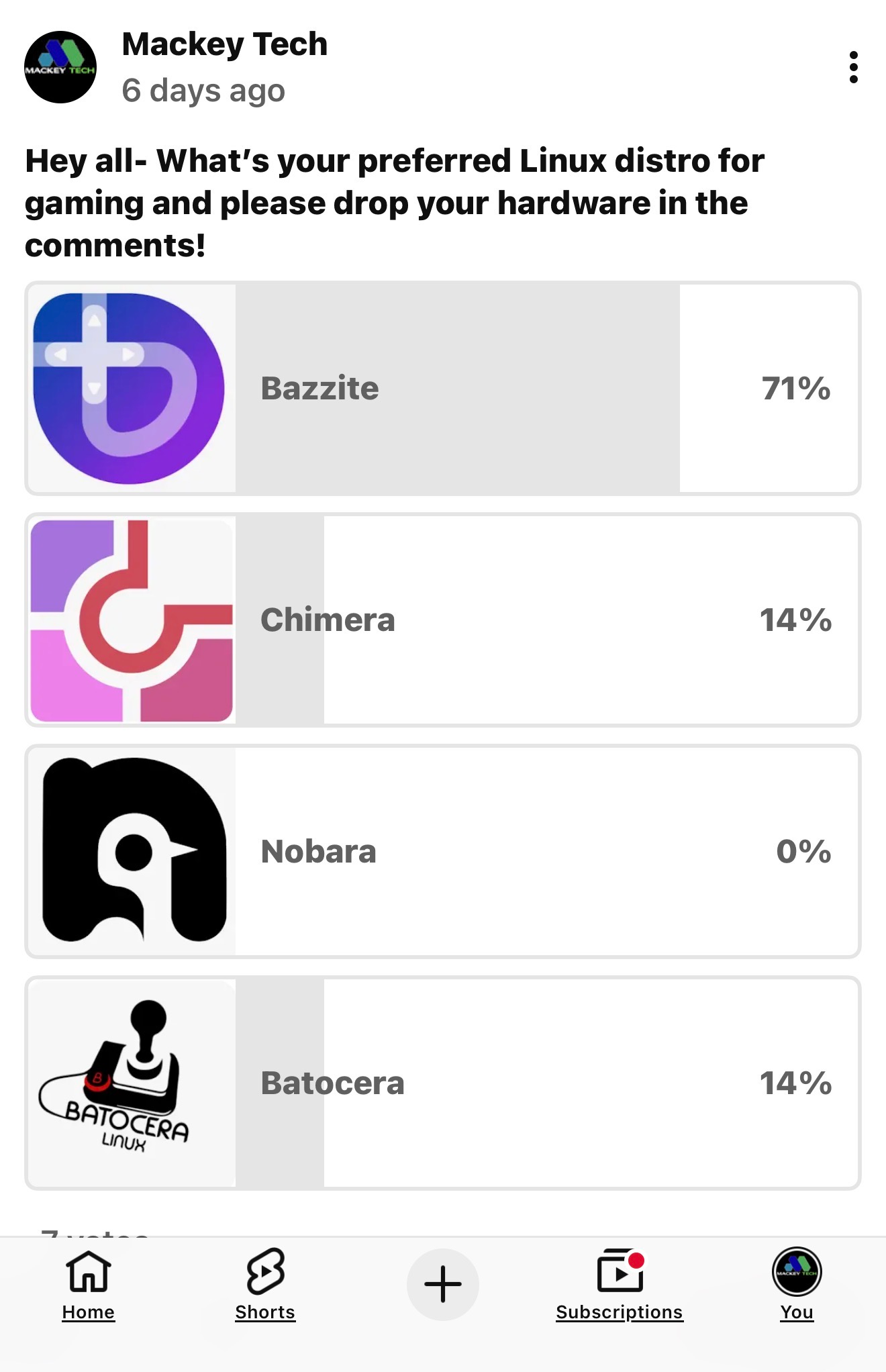
When I asked my audience which Linux gaming distribution they preferred, the results weren’t even close. Bazzite received roughly 71% of the vote, while ChimeraOS and Batocera were tied at around 14% each.
That made the decision pretty easy.
Bazzite is based on Fedora Atomic and aims to provide an experience similar to SteamOS. It comes with Steam, Lutris, gaming drivers, controller support, and a variety of gaming-focused optimizations right out of the box. Through Lutris and other launchers, it can also access games from platforms like GOG, and even supports Android applications through Waydroid.
Before installing anything, I updated the NUC’s BIOS, replaced the dead CMOS battery, and cleaned out years of dust accumulation so the cooling fan would stop sounding like a small aircraft preparing for takeoff.
Installing Bazzite

My original goal was to transform this NUC into a living room gaming machine using Steam Gaming Mode. Unfortunately, Gaming Mode isn’t supported on this particular hardware, so I went with the KDE desktop version instead.
After flashing the installer to a USB drive with Balena Etcher, installation was quick and painless thanks to the NUC’s 500GB NVMe SSD.
Once the system was up and running, I installed EmuDeck. If you’re not familiar with it, EmuDeck automates much of the emulator setup process and makes transferring ROMs significantly easier. It removes a lot of the hassle normally associated with emulation.
Testing Emulation Performance
The first game I loaded up was God of War II for the PlayStation 2.
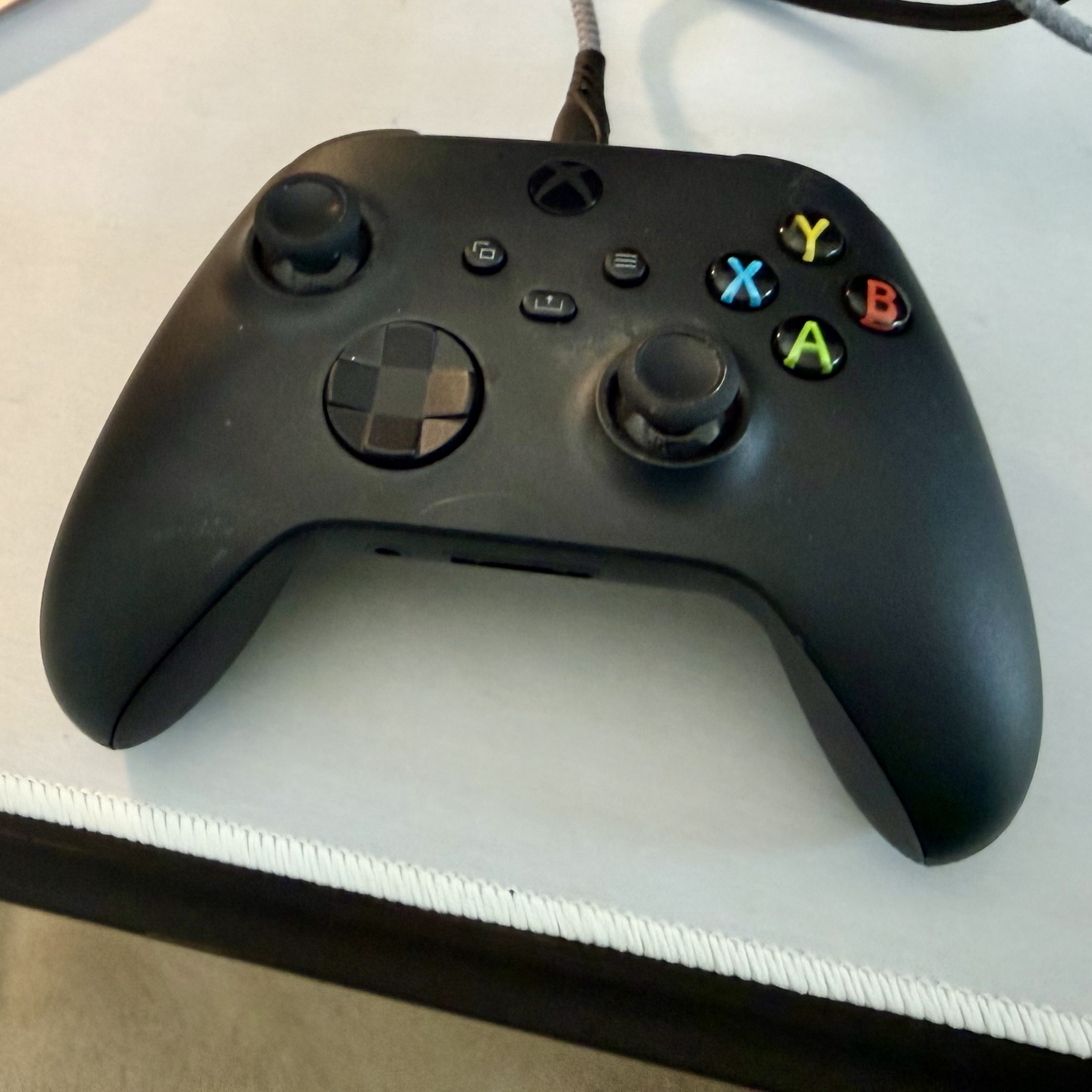
Honestly, I was impressed. Gameplay felt smooth, controls were responsive, audio stayed perfectly synchronized, and I didn’t experience any crashes or noticeable slowdowns. Using an Xbox 360 controller felt completely natural.
Next, I fired up Gran Turismo 4. Performance was just as solid, although my driving certainly wasn’t. Despite what the footage may suggest, no alcohol was involved during testing—I simply have terrible racing-game skills.
Moving on to GameCube emulation, I tested The Legend of Zelda: The Wind Waker with shaders enabled. Once again, performance was excellent. Controls felt responsive, audio was crisp, and I didn’t encounter any lag.
As a longtime Metroid fan, I couldn’t resist trying Metroid Prime 2: Echoes. The result was more of the same: smooth gameplay, responsive controls, and no stuttering whatsoever.
At this point, it was becoming clear that this old NUC still had plenty of life left in it when it came to sixth-generation console emulation.
How Did Steam Games Perform?
After spending time with emulators, it was time to move over to native PC gaming through Steam.
Fallout: New Vegas
Running at 1280×1024 with mostly high settings, Fallout: New Vegas consistently delivered between 65 and 75 FPS. For a ten-year-old mini PC, that’s pretty impressive and made for a very enjoyable experience.
Borderlands 2
Borderlands 2 performed similarly. Frame rates were slightly lower, but gameplay remained smooth and responsive with no major issues.
F.E.A.R.
One of the biggest surprises was the original F.E.A.R.
This game was notoriously demanding when it launched nearly two decades ago thanks to its advanced lighting and shadow effects. On the Skull Canyon NUC, however, it regularly exceeded 120 FPS and felt fantastic to play.
It also remains just as creepy as I remember.
Contra: Operation Galuga
I also spent some time playing Contra: Operation Galuga, a modern reimagining of the classic Contra series.
The game ran smoothly, controls were responsive, audio worked flawlessly, and I experienced no crashes or major performance problems. More importantly, it was simply a lot of fun.
Hades
The original Hades was another standout.
Running at 1920×1080, frame rates generally stayed between 90 and 110 FPS. Gameplay felt incredibly smooth, controller response was excellent, and I didn’t encounter any lag whatsoever.
The Games That Didn’t Work So Well
Half-Life 2
Half-Life 2 initially crashed at the welcome screen. Enabling Proton compatibility mode allowed me to play briefly, but the game eventually crashed again.
There are probably fixes available, but for this test I wanted to evaluate the out-of-the-box experience rather than spend hours troubleshooting individual games.
Doom Eternal
Doom Eternal proved to be too much for the hardware.
The game requires at least 4GB of dedicated video memory, which is significantly more than this NUC can provide. I repeatedly ran into memory-related errors before I could perform any meaningful testing.
Counter-Strike 2
Counter-Strike 2 came surprisingly close to being playable. I was able to navigate menus and nearly enter a match, but the game frequently hung and eventually crashed.
Even so, the fact that a modern AAA title got that far on a decade-old mini PC was impressive in its own way.
Final Thoughts
Going into this project, I wasn’t expecting much.
After all, this is a ten-year-old mini PC with only 8GB of RAM that had spent years collecting dust in a closet. Yet after installing Bazzite, it turned into a surprisingly capable little gaming machine.
No, it isn’t going to replace a modern gaming desktop. It’s not going to become a PlayStation 3 emulation powerhouse, either. But for GameCube, Wii, PlayStation 2 emulation, older Steam games, and even some newer titles, it delivered a much better experience than I expected.
Would Fedora, Nobara, ChimeraOS, or Batocera have produced similar results? Probably. But what impressed me most wasn’t necessarily Bazzite itself—it was discovering just how much life was still left in this old hardware.
Sometimes the best upgrade isn’t buying something new. It’s finding a new purpose for something you already own.
So now I’m curious: What’s the oldest computer you’ve managed to game on recently, and what Linux distribution are you using?