
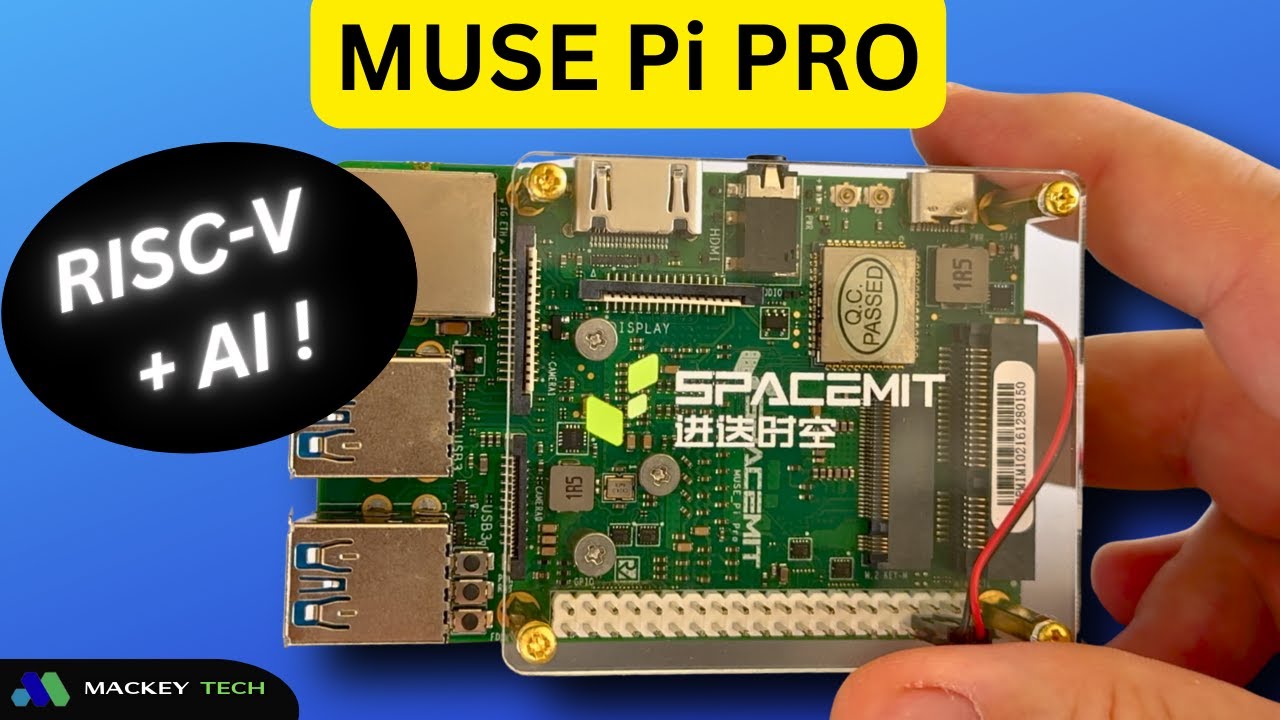
In this review, we’re taking a look at the SpaceMIT Muse Pi Pro, a RISC-V-based single-board computer aimed at developers, makers, and anyone curious about this emerging open architecture platform.
Before we dive in, a quick disclosure: SpaceMIT sent this board over at no cost, but no money changed hands. They also did not review this content before publication, so everything here reflects my honest experience.
Let’s start with a quick look at the company behind the hardware.
About SpaceMIT
SpaceMIT is a semiconductor company focused on building high-performance RISC-V CPUs and a broader ecosystem around them. Their goal is to push RISC-V beyond research and into practical, everyday use—especially in areas like AI, edge computing, and developer platforms.
Their lineup includes the Muse Pi series of single-board computers, along with the Muse Book, a RISC-V-powered laptop running their custom Bianbu OS. Altogether, these products are designed to bring open-architecture computing into real Linux and AI workflows.
Hardware Overview and Specifications
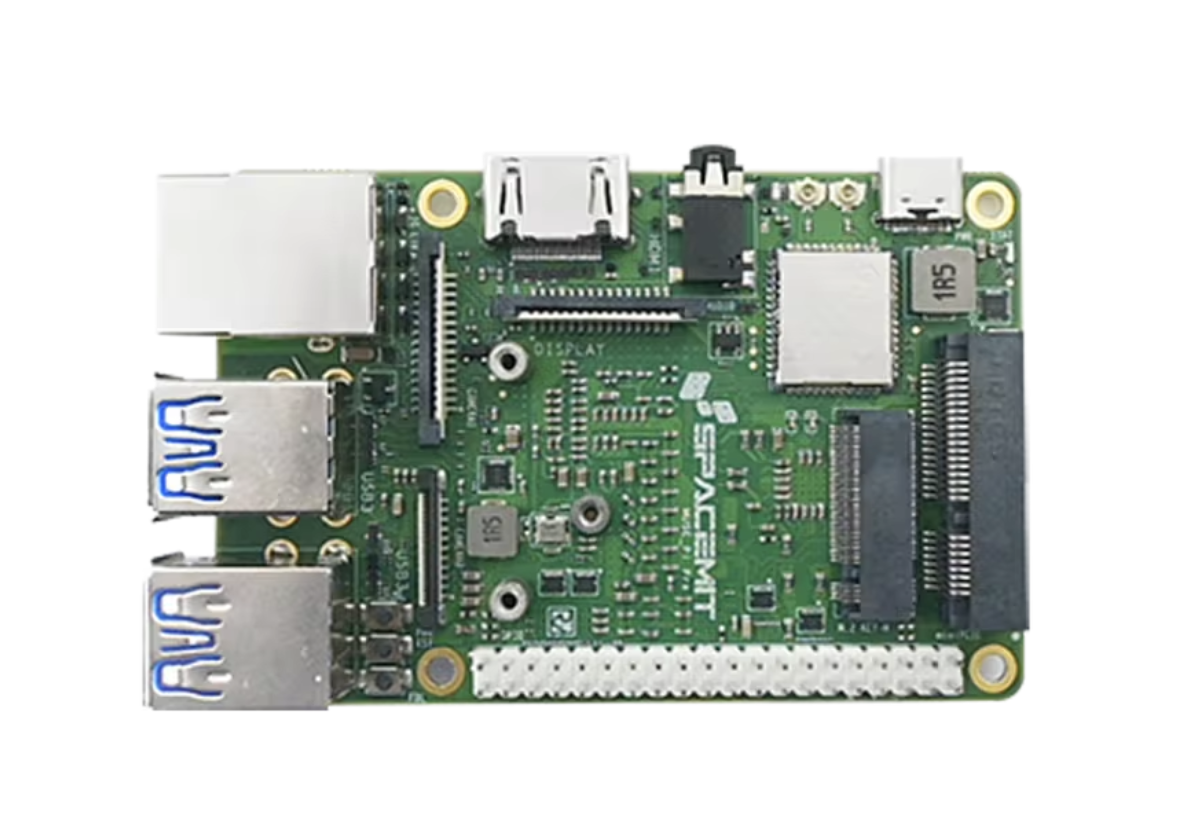
The Muse Pi Pro is built on SpaceMIT’s first-generation K1 platform and powered by the SpaceMIT M1 SoC. This is an 8-core, 64-bit RISC-V processor with up to 2.0 TOPS of integrated AI acceleration. SpaceMIT has already indicated that a next-generation K3 platform is on the way, expected to power future revisions of the board.
In terms of connectivity, the board is surprisingly well equipped. You get a full-size HDMI port, USB-C for power, four USB 3.0 Type-A ports, onboard eMMC storage, and an M.2 slot supporting 2230 NVMe SSDs. There’s also a miniPCIe slot for expansion, allowing you to add Wi-Fi cards or even 4G/5G modems.
Wireless connectivity is handled via onboard Wi-Fi 6 and Bluetooth 5, supported by external antennas. Additional features include a 3.5mm audio jack, microSD card slot, Gigabit Ethernet, and a MIPI CSI interface for camera input. There’s also a DSP interface for display output and a GPIO header used to power the included active cooling fan.
The board includes physical buttons for power, reset, and firmware flashing, which is a nice touch for development workflows.
My unit came configured with 128GB of eMMC storage and 16GB of RAM, though lower configurations (64GB/8GB) are also available.
Pricing and What’s in the Box
The Muse Pi Pro is currently available through marketplaces like AliExpress and BPI Shop, typically priced between $140 and $200 depending on configuration.
Inside the box, you get the board itself (with acrylic supports and a fan pre-installed), a USB breakout cable, standoffs, a quick reference guide, Wi-Fi antennas, and a 30W power adapter. Overall, it’s a pretty complete package for getting started right away.
RISC-V Explained (Quick Crash Course)
To understand what makes this board interesting, it helps to quickly cover CPU architectures.
Traditional desktop CPUs from Intel and AMD use a design philosophy known as CISC (Complex Instruction Set Computing), which focuses on executing more complex instructions per cycle. On the other hand, ARM processors—commonly found in smartphones, Apple Silicon, and devices like the Raspberry Pi 5—use a RISC (Reduced Instruction Set Computing) approach, favoring simpler instructions executed very efficiently.
RISC-V takes this a step further. It’s an open-source, royalty-free instruction set, meaning companies can design their own CPUs without licensing fees. That openness is what makes RISC-V especially interesting for innovation.
The Muse Pi Pro uses SpaceMIT’s custom implementation of RISC-V, including vector and AI extensions built directly into the CPU. Their AI architecture, called Daoyi, integrates AI acceleration into the CPU itself rather than relying on a separate GPU or NPU.
This means when you run AI workloads—like ONNX models—you’re testing how well the CPU handles inference directly, which is a key part of this board’s design.
How is the documentation?
One area that could use improvement is documentation.
SpaceMIT does provide documentation through both their Bianbu OS site and a separate developer portal, but the experience feels a bit fragmented. There isn’t a clear central hub, and it’s easy to get lost navigating between sections.
In my case, I didn’t even come across the Muse Pi Pro quick-start guide until after I had completed testing. That also meant I didn’t get a chance to fully explore alternative OS images like Fedora or Ubuntu, which are listed as compatible.
While some of this is on me, it does highlight the need for a more cohesive documentation structure.
Bianbu OS: A Developer-Focused Linux
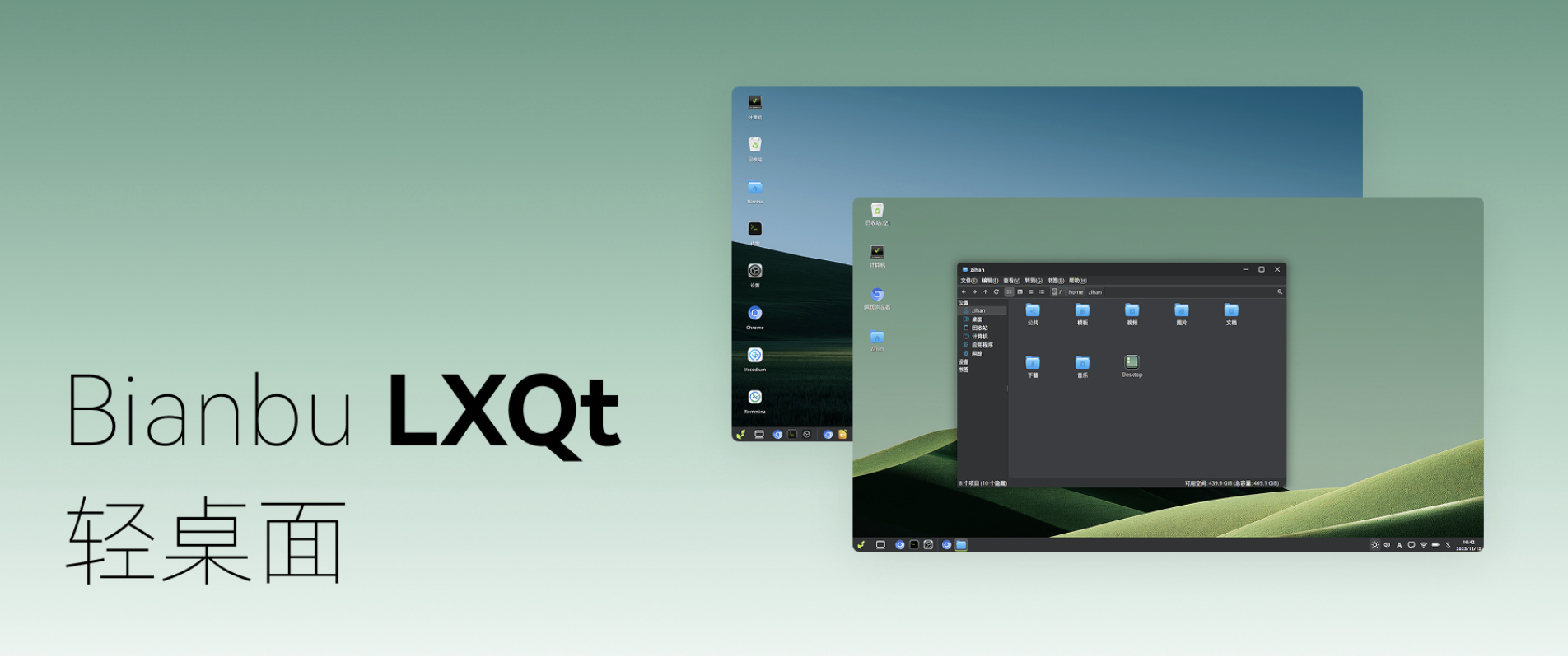
The Muse Pi Pro runs Bianbu OS, a Debian-based distribution built specifically for SpaceMIT’s RISC-V hardware. It’s based on Debian 13 (Trixie) and uses GNOME as its foundation, combined with lightweight components from the LXQt ecosystem.
SpaceMIT’s customized version, called Bianbu Star, adjusts the layout, theme, and default applications to create a streamlined, performance-focused environment.
Setup is straightforward. After booting, you create a user, select your region, connect to Wi-Fi, and you’re ready to go within minutes.
One thing you’ll notice right away is the lack of a traditional app store. Instead, Bianbu leans heavily on terminal-based package management using apt and flatpak. System settings are also minimal, reinforcing the idea that this is a developer-first environment rather than a consumer-focused desktop.
Out of the box, you still get essential tools like LibreOffice and a Chromium browser, along with a suite of lightweight LXQt applications. The file manager, in particular, stands out for being fast and responsive.
Overall, the desktop experience feels surprisingly smooth and snappy, which is impressive for a RISC-V system.
CPU Performance and Thermals
For CPU testing, I ran a five-minute Sysbench benchmark calculating prime numbers up to 20,000. This is a pure CPU workload with no AI acceleration involved.
The Muse Pi Pro achieved around 327 events per second. For comparison, the Raspberry Pi 5 typically scores between 1200 and 1400 in the same test, making it roughly four times faster in raw CPU performance.
That said, the thermal performance here is excellent. With the included fan, CPU temperatures stayed around 25°C under load, and power consumption ranged between 3.8 and 4.3 watts. There was no noticeable throttling, and the system remained quiet throughout.
AI Testing with ONNX Runtime
This is where the Muse Pi Pro really starts to stand out!
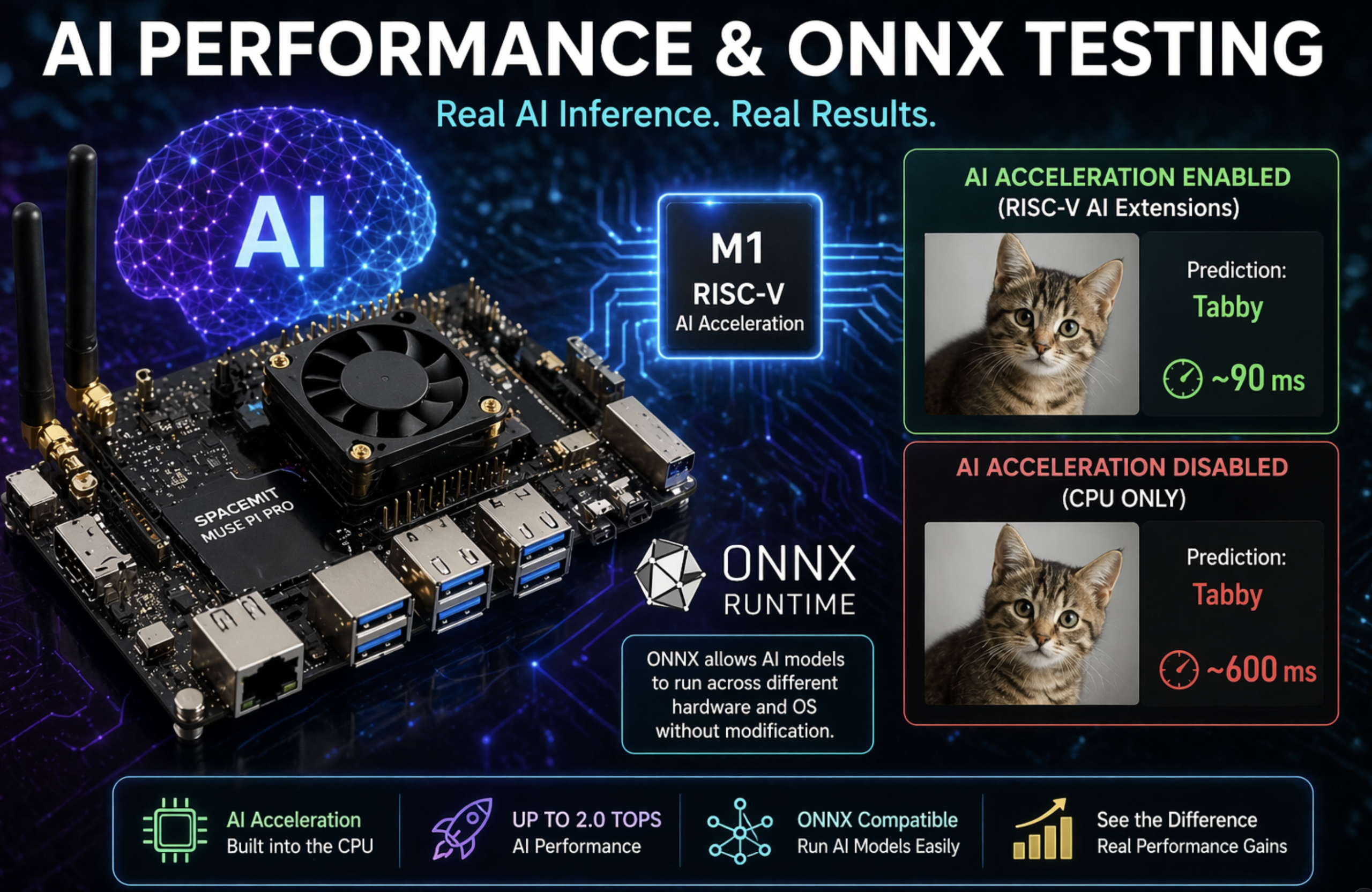
Using ONNX Runtime, I tested AI inference with a ResNet-50 image classification model. ONNX allows models to run across different platforms without modification, making it ideal for testing hardware like this.
With SpaceMIT’s AI extensions enabled, the system classified an image in about 90 milliseconds. Disabling those extensions and running CPU-only increased that time to over 600 milliseconds.
That’s a significant difference—and it clearly demonstrates the benefit of having AI acceleration built directly into the CPU.
It’s important to note that this test measures inference speed, not intelligence. The model simply selects from predefined categories based on its training data.
Still, the performance gains here highlight what this board is designed to do.
Community and Ecosystem
The Muse Pi community is another strong point.
There’s an active forum with sections dedicated to each product, along with discussions around AI, the RISC-V platform, and Bianbu OS. During testing, I found real conversations, helpful responses, and active troubleshooting, which is always a good sign for an emerging platform.
Final Thoughts: Who Is This Board For?
The Muse Pi Pro ended up being a lot more enjoyable than I expected.
Bianbu OS delivers a fast and stable desktop experience, and the board itself runs efficiently with excellent thermals. But this isn’t a direct competitor to something like a Raspberry Pi 5 in terms of general-purpose performance.
Instead, the real value here is AI inference on RISC-V hardware.
If you’re a developer, maker, or early adopter interested in experimenting with edge AI and open architectures, this is a compelling platform with solid community support.
However, if you’re looking for a plug-and-play Raspberry Pi replacement or a traditional desktop experience, you may run into friction due to limited software availability and fragmented documentation.
If you found this guide helpful, consider supporting Mackey Tech by checking out my Patreon, where you’ll find behind-the-scenes content, including the full unboxing of the Muse Pi Pro, along with more in-depth tutorials.
And once again, thanks to SpaceMIT for providing the board for testing.